

Statutory demand notice
Document overview


- Length:6 pages (1200 words)
- Available in:
 Microsoft Word DOCX
 Apple Pages
 RTF
RTF

If the document isn’t right for your circumstances for any reason, just tell us and we’ll refund you in full immediately.

We avoid legal terminology unless necessary. Plain English makes our documents easy to understand, easy to edit and more likely to be accepted.

You don’t need legal knowledge to use our documents. We explain what to edit and how in the guidance notes included at the end of the document.

Email us with questions about editing your document. Use our Lawyer Assist service if you’d like our legal team to check your document will do as you intend.

Our documents comply with the latest relevant law. Our lawyers regularly review how new law affects each document in our library.
About this document
If you issue a statutory demand, you can follow it up 21 days later with a winding up petition. There is nothing, but nothing that concentrates someone’s mind more than prospective wipe out. Of course, if you have done your homework, you never need to issue the petition.
The procedure is very easy to follow. All you need are a couple of forms and a stamp; no solicitors, no court fees.
Who will use this document?
any person or company for use in the recovery of money.
Application and features
- Statutory demand form issues under section 289 of the Companies Act 1993
- Explanatory notes on how to complete the form and what to do next
- Statement of claim to support the demand
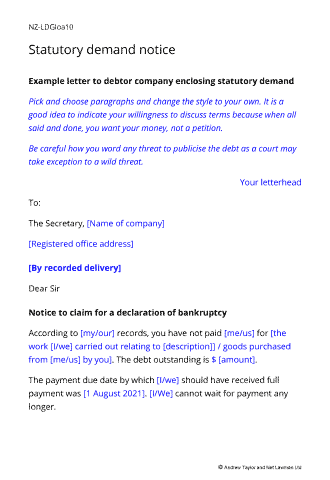
- Example letter to Debtor Company enclosing statutory demand
- Example letter withdrawing the demand when the debtor pays
Contents
- Template letter and forms
- Full example text completed in the Net Lawman version to guide you with the wording you might use
- Drafting notes to help you further
- Example letter you might send to your debtor with the form
Recent reviews
Only improvement for me would be to explain in the notes which court details to add to the SD - I had to look elsewhere to find the answer, as I did not know if it was a court local to me or the company I was sending the SD too - but apart from that, everything was worthwhile. (FYI It needs to be the one closest to the company!)
I feel completely reassured that I have filled in and followed the process, all because of these downloaded guide and templates. Well worth it!
it was the first time I had to issue a stat demand and the forms purchased from Net Lawman were a great help.
Also did the trick in relation to the money owed so very happy overall.
All rights reserved